
In the WordPress ecosystem, updates aren’t optional maintenance tasks; they’re your first line of defense against security vulnerabilities, plugin failures, and unexpected downtime. Every year, thousands of WordPress sites are compromised not because they were targeted individually, but because an outdated plugin or theme exposed an easy entry point. For businesses, that risk isn’t just technical; it affects revenue, reputation, compliance, and customer trust.
Yet many site owners delay updates out of fear. They worry a plugin might break something, or that compatibility issues could take their site offline at the worst possible time. The result? A site that becomes less stable and less secure the longer updates are deferred.
This is why a structured, professional WordPress update management service exists. It ensures your site stays protected, functional, and compatible, without the guesswork or risk of doing it yourself. In this guide, we’ll explore why updates matter, the dangers of ignoring them, and how to handle them safely.
Why WordPress, Themes, and Plugins Need Constant Updating
WordPress is a constantly evolving platform. Core updates introduce new features, fix bugs, and address security vulnerabilities. Themes and plugins, each maintained by different developers, follow their own update cycles as well. This means your website is made up of multiple moving parts that must stay in sync. When even one element falls behind, the entire system becomes less stable and less secure.
Security Is the #1 Reason Updates Matter
Most hacks occur not because a site is specifically targeted, but because attackers scan the web for known vulnerabilities. As soon as developers release a security patch, the weakness becomes public knowledge, and outdated sites become easy targets. Delaying updates keeps your site exposed long after the fix already exists.
Compatibility Keeps Your Site Working Correctly
WordPress core, PHP, browsers, themes, and plugins all update independently. If one component moves forward while the others stay behind, conflicts appear. That’s when layouts break, forms stop sending, dashboards slow down, or checkout workflows fail. Updating ensures everything continues working together smoothly.
Performance Improvements Keep Your Site Fast
Many updates include code optimizations that improve load times, stability, and backend responsiveness. Ignoring updates doesn’t just freeze performance, it slowly decays it.
Updates Introduce New Features and Enhancements
From accessibility upgrades to better block editor tools, updates help you modernize your site without rebuilding it.
A single outdated plugin or theme isn’t just a missed improvement, it’s a weak link. Because everything in WordPress is interconnected, falling behind on updates compromises the safety, stability, and performance of your entire website.
The Risks of Delaying or Skipping WordPress Updates
Postponing updates may feel “safer” in the moment, but it creates a much larger, and often hidden, set of risks. Many site owners don’t realize that most security breaches, broken layouts, checkout failures, and sudden slowdowns can all be traced back to outdated software.
Here’s what happens when updates are ignored:
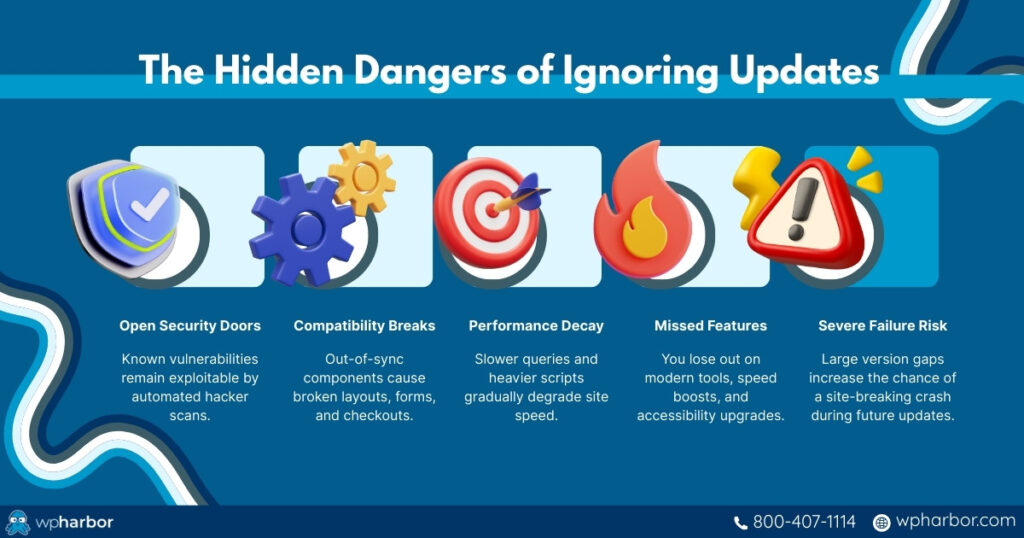
Security vulnerabilities stay open and exploitable. Once developers release a security patch, the vulnerability it fixes becomes public knowledge. Hackers immediately begin scanning the internet for sites running the outdated version. Even small plugins with fewer installations become targets because automated attacks don’t discriminate.
Plugins, themes, and WordPress core fall out of sync. Your site relies on dozens of moving parts maintained by different developers. As one updates and others don’t, compatibility problems start forming behind the scenes. The result can be anything from broken layouts to non-functioning forms and checkout pages.
Performance degrades slowly, until it becomes noticeable. Outdated components often contain inefficiencies that have already been fixed in newer versions. Over time, this leads to slower queries, heavier scripts, and degraded user experience, especially on mobile.
You lose access to new functionality and modern standards. Features like improved accessibility, editor enhancements, security upgrades, and speed optimizations remain unavailable simply because your site isn’t up to date.
Your risk of catastrophic failure increases. Sites that go too long without updates often break during the next major upgrade because the gap between versions has become too large. What could have been a simple update becomes a major recovery or redevelopment project.
Delaying updates doesn’t “freeze” your website in a safe state; it quietly erodes security, stability, and performance until something breaks.
Why Updating Isn’t Always Simple: The Hidden Risks of Doing It Yourself
If updates were always safe, predictable, and compatible, every site owner would click “Update All” without hesitation. But that’s not how WordPress works. Updating a modern website, especially one with ecommerce, forms, memberships, or custom layouts, can introduce real risks if not handled properly.
These risks explain why many site owners delay updates, and why a WordPress update management service is often necessary:
Updates can break layouts or core functionality. A plugin developer may change a script, a CSS class, or a database structure, instantly affecting your theme or page builder. Suddenly, sections shift, elements disappear, or the site simply stops loading correctly.
Some updates introduce bugs. Even reputable plugins occasionally push buggy releases. Updating immediately means your site becomes the test environment for issues the developer hasn’t fixed yet.
Complex sites have complex dependencies. WooCommerce stores, LMS platforms, membership systems, multilingual plugins, and custom themes have far more interconnected components. A single incompatible update can break:
- Checkout pages
- User logins
- Shipping/tax logic
- Payment gateways
- Course progress or membership access
Learn how to choose the right host for your future eCommerce website
Backup and rollback systems must be perfect. If something goes wrong and you don’t have a clean backup or easy restore point, recovering your site becomes expensive, time-consuming, and stressful.
Updates require testing, not guesswork. Professional workflows include staging environments where updates are tested before going live. Without staging, you’re essentially updating “blind,” hoping nothing breaks on the production site.
Some updates need developer intervention. Major WordPress core updates, WooCommerce migrations, and plugin restructuring often require database updates or code adjustments. These aren’t safe to run without technical oversight.
This is why many site owners get trapped in a cycle: They avoid updates because they might break something, and updates eventually break something because they were avoided.
A WordPress update management service removes that risk entirely by handling updates safely, proactively, and professionally.
How a WordPress Update Management Service Keeps Your Site Safe
A professional update management service is far more than someone clicking the “Update” button. It’s a structured, controlled process designed to protect your site before, during, and after every update. Businesses rely on it because updates are one of the most common sources of website failures: broken layouts, plugin conflicts, checkout errors, and even full outages can happen when updates are applied blindly. A management service removes that uncertainty and ensures updates strengthen your site instead of threatening it.
Scheduled, Controlled Updates – Never Random Changes
A proper service doesn’t run updates at unpredictable times. Updates are scheduled strategically to avoid peak traffic hours, seasonal campaigns, or important launches. This ensures that if an issue ever arises, it won’t interfere with your revenue, lead generation, or customer experience.
Full Backups Before Any Update
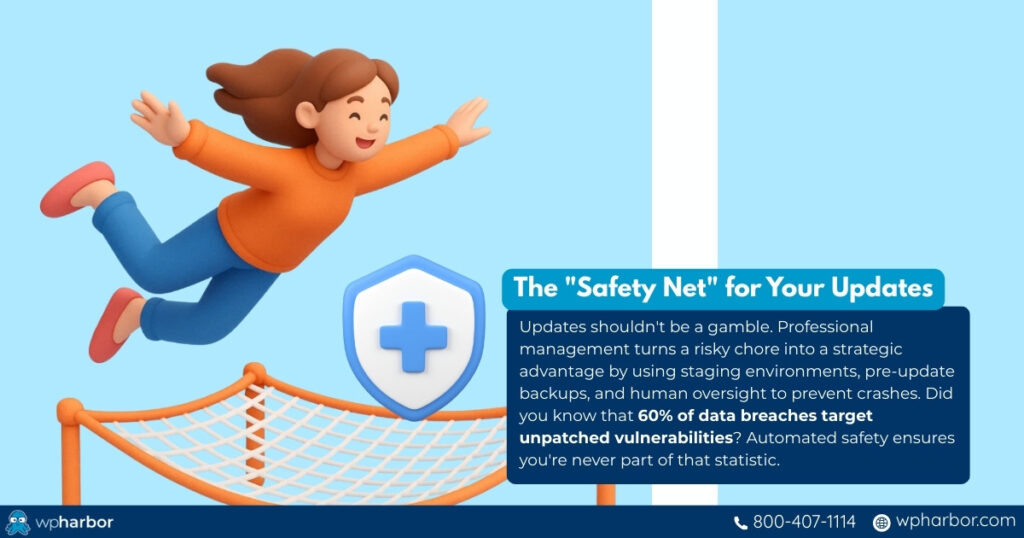
Before anything is updated, the entire site (files and database) is backed up. This gives you a guaranteed fallback. If something breaks, the site can be restored in minutes, not hours or days. No damage control, no costly downtime, no lost data.
Staging Environments for Safe Testing
Updates are never applied blindly to your live site. A staging environment (an exact clone of your website) allows all updates to be tested safely first. This is where plugin conflicts, layout issues, and compatibility problems reveal themselves, before customers ever see a problem.
Ongoing Compatibility and Risk Assessment
Not all updates should be installed immediately. Some plugins release buggy updates, some themes introduce breaking changes, and some WordPress core updates require waiting for developer patches. A management service monitors update stability and applies them only when safe, preventing your site from becoming the “early adopter” victim of a bad release.
Automatic Security Updates for Critical Vulnerabilities
When a severe security flaw is announced, speed matters. A management service can deploy urgent security patches instantly, reducing exposure windows from days (or weeks) to minutes. This level of responsiveness is nearly impossible for most businesses to maintain manually.
Human Oversight and Expert Troubleshooting
Even with staging and backups, unexpected issues sometimes arise, and that’s where human expertise matters. Professionals can roll back safely, fix broken code, replace incompatible plugins, and diagnose deeper issues immediately. Instead of panicking or guessing, you get calm, precise problem-solving.
The ROI of Staying Updated (and the Cost of Falling Behind)
Staying updated isn’t just a security requirement; it has direct financial and operational benefits. Businesses that maintain a consistent update schedule experience fewer emergencies, fewer unexpected costs, and better overall performance.
Here’s what proper update management gives you:
Better Site Stability
When updates are applied correctly and consistently, your site becomes dramatically more stable. You avoid the “domino effect” where outdated plugins begin causing system-wide issues.
Improved Security and Reduced Cleanup Costs
Recovering from a hack is expensive, often far more expensive than proactive maintenance. Updates close vulnerabilities before they can be exploited, protecting your business, customers, and data.
Faster Performance and Better Core Web Vitals
Many updates include speed and efficiency improvements. By staying current, your site benefits from modern optimization without paying for additional development work.
Less Downtime and Fewer Emergency Repairs
Emergency fixes almost always cost more because they’re reactive. Update management keeps your site predictable, so you’re not forced into high-stress, last-minute repairs during critical business hours.
Long-term Compatibility and Easier Scaling
A consistently updated site is easier to upgrade, migrate, redesign, or expand. Falling multiple versions behind makes everything harder, slower, and more expensive later.
Neglecting updates might save time today, but it always creates larger risks and costs down the road. Proper update management pays for itself by avoiding disasters and preserving your site’s long-term health.

Stay Secure, Stable, and Worry-Free With Managed Updates
Updates are one of the simplest yet most powerful ways to protect your WordPress site, but only when they’re handled correctly. When updates are neglected, websites become slower, less secure, and more prone to unexpected failures. When updates are rushed or applied blindly, plugins break, layouts collapse, and critical features like checkout or forms stop working.
That’s why update management isn’t “just maintenance.” It’s an essential part of running a reliable, secure, revenue-producing website.
A professional WordPress update management service eliminates the uncertainty. It gives you structured testing, safe backups, compatibility checks, continuous monitoring, and expert intervention when something goes wrong. Instead of hoping your site survives the next update, you gain predictable stability and long-term security – without doing any of the work yourself.
If your website plays an important role in your business, now is the time to protect it properly.
Keep your site secure. Keep it fast. Keep it online.
Explore WP Harbor’s WordPress Update Management Service and stay confident that your site is always up-to-date and ready for whatever comes next.