
Why WordPress Maintenance Matters More Than Ever
WordPress makes it easy for anyone to build a beautiful, functional website, but keeping that website fast, secure, and fully operational is an entirely different responsibility. Modern websites aren’t static assets; they’re living systems. Plugins evolve, threats increase, databases grow, and technical requirements change constantly. Without ongoing WordPress maintenance, even the best-built site will eventually slow down, break, or expose itself to security risks.
For businesses, these issues aren’t just inconveniences; they create real financial and operational damage. A slow site lowers conversions, outdated plugins cause compatibility errors, and unpatched vulnerabilities lead to hacks that can wipe out revenue and trust in a single day. Proper WordPress management ensures your site remains stable, optimized, and protected as your business grows.
This guide breaks down everything you need to know about maintaining a healthy WordPress site, whether you’re handling it yourself or looking to partner with a professional management provider.
What WordPress Maintenance Really Includes (Most People Miss 50% of It)
Most business owners think WordPress maintenance means “just updating plugins.” While updates are part of it, true WordPress management is far more comprehensive. A well-maintained website requires continuous monitoring, optimization, and preventative care, not occasional quick fixes.
WordPress is built from multiple moving parts: the core CMS, your theme, various plugins, your database, your hosting environment, and all the scripts, assets, and integrations running in the background. When even one of these pieces is outdated or misconfigured, performance degrades and vulnerabilities appear. That’s why professional maintenance covers multiple layers of the system.
Here’s what full WordPress maintenance actually includes:
- Core, Plugin, and Theme Updates – Keeping your site secure, compatible, and functioning properly.
- Security Monitoring and Malware Prevention – Catching threats early before they damage your site or your reputation.
- Automated + On-Demand Backups – Ensuring you can recover instantly from errors, hacks, or accidental changes.
- Performance Optimization – Improving speed, caching, image handling, and reducing plugin bloat.
- Database Cleanup and Refinement – Removing clutter that slows down your site over time.
- Uptime and Error Monitoring – Detecting outages or broken pages before your visitors do.
- Regular Plugin/Theme Audits – Identifying abandoned or risky components that could break your site.
In short, WordPress maintenance is proactive, not reactive. It prevents problems before they occur, keeps your site fast and secure, and reduces the long-term cost of ownership. Without a consistent management routine, WordPress sites slowly deteriorate, often without the owner realizing it until something breaks.
Core Elements of an Effective WordPress Maintenance Workflow
A well-maintained WordPress site doesn’t happen by accident. It requires a structured workflow that protects your site from vulnerabilities, keeps performance high, and ensures compatibility as WordPress evolves. Below are the essential components of a reliable WordPress management routine, the same pillars used by professional maintenance providers.
A. Regular Updates (Core, Plugins, Themes)
Updates are the front line of WordPress maintenance. They patch security vulnerabilities, fix bugs, improve speed, and ensure compatibility with the latest web standards. Delaying updates is one of the most common reasons WordPress sites get hacked or break unexpectedly. Proper maintenance includes safely applying updates, testing them when needed, and rolling back quickly if issues arise.
B. Security Monitoring & Malware Prevention
WordPress powers over 40% of the internet, which makes it a constant target for bots and attackers. Good WordPress management includes active security scanning, firewall protection, malware detection, login protection, and alerts for suspicious activity. This proactive monitoring ensures threats are caught early, before they compromise your site or your users’ data.
C. Automated + On-Demand Backups
Backups are your safety net. If a plugin update breaks your design, if a team member makes a mistake, or if malware corrupts your files, backups allow you to instantly restore your site to a working version. A strong maintenance routine includes daily automated backups, multiple restore points, and the ability to trigger a manual backup before major changes.
D. Performance Optimization
A fast website isn’t just nice to have; it’s a ranking factor, a conversion booster, and a better user experience. Maintenance includes optimizing caching, compressing images, reducing unused scripts, minimizing plugin load, and ensuring the site remains efficient as it grows. Without consistent optimization, WordPress sites inevitably slow down over time.
E. Uptime & Error Monitoring
Downtime hurts sales, rankings, and credibility. Monitoring tools check your site every minute and alert you if something goes wrong. This allows you to fix issues before customers notice. Maintenance also includes checking for server errors, broken links, and performance warnings so problems can be addressed proactively.
F. Database Optimization
Your database stores everything your website uses: content, settings, orders, revisions, logs, and more. Over time, it fills with clutter that slows down queries and page loads. Regular cleanup of revisions, transients, orphaned tables, and overhead keeps your database lean and efficient.
G. Plugin & Theme Audits
Not all plugins age well. Some become abandoned, outdated, or incompatible with new versions of WordPress. Others start consuming excessive resources. Routine audits identify risks early, ensuring that every plugin installed actually serves a purpose and doesn’t introduce performance or security issues.
Together, these elements create a predictable, preventative maintenance system that keeps WordPress sites stable and high-performing, no surprises, no emergencies, no long-term degradation.
Why Proper WordPress Management Protects SEO, Conversions, and Revenue
WordPress maintenance isn’t just a technical checklist. It directly affects your visibility, credibility, and bottom line. A poorly maintained site suffers from slow performance, broken pages, reduced uptime, and security issues, all of which have real financial consequences. Proper WordPress management ensures your site remains competitive in every area that matters.
Search engines reward websites that are fast, secure, and stable. When WordPress isn’t maintained, Core Web Vitals degrade, loading times increase, and Google crawlers encounter more errors, all of which push your rankings down. Routine optimization keeps your site fast and ensures Google has access to clean, reliable pages.
Conversions are even more sensitive. Slow pages cause users to bounce. Broken forms lose leads. Checkout errors cost real revenue. A single outdated plugin or unoptimized script can damage the customer journey. Maintenance prevents these failures by identifying issues early and ensuring the entire site operates smoothly.
Finally, revenue depends on uptime and trust. A hacked site or recurring downtime instantly erodes customer confidence. Good management prevents these risks with continuous monitoring, backups, and security layers designed to keep your business running without interruption.
In short, proper WordPress maintenance is not just technical housekeeping – it’s a direct investment in higher rankings, stronger conversions, and long-term business stability.
What Happens When WordPress Sites Aren’t Maintained (Real-World Risks)
When WordPress maintenance is ignored, problems don’t show up all at once, they build quietly until something finally breaks. And when it does, the damage is often far worse than the effort it would have taken to prevent it.
Unmaintained sites become slower over time as databases grow, plugins conflict, and outdated code piles up. That slowdown affects everything: your search visibility, your conversion rate, and your user experience. Even the best-designed site feels outdated and unreliable if it performs poorly.
Security risks escalate quickly too. Most WordPress vulnerabilities occur because plugins or themes were left outdated for months (or years). Once attackers gain access, they can deface the site, redirect visitors, inject spam, steal data, or take the entire website offline. Recovery is costly, stressful, and often damaging to your brand’s reputation.
Broken features are another silent killer. Contact forms stop sending messages. Checkout pages return errors. Embedded content stops working. Site owners often don’t notice until a customer reports it, meaning lost leads or missed sales have already occurred.
Finally, downtime becomes more frequent. Without uptime monitoring, businesses may not even realize their site has been inaccessible for hours. For ecommerce, online services, or lead-generation sites, downtime directly affects revenue and customer trust.
In short, failing to manage WordPress isn’t a harmless oversight. It’s a risk multiplier, one that grows more expensive the longer it’s ignored.
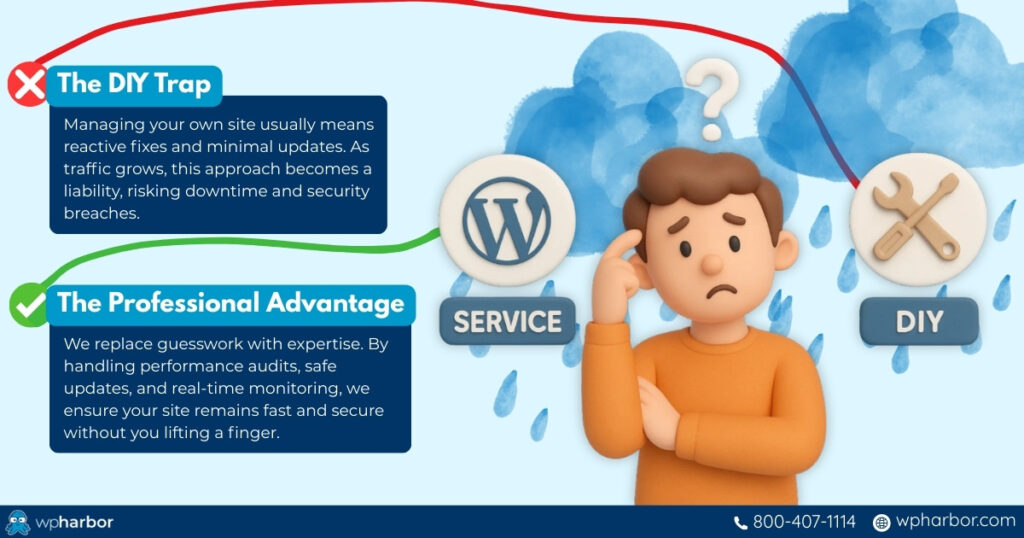
DIY Maintenance vs. Professional WordPress Management
Many business owners start out maintaining their own WordPress sites. In the early stages, that may be manageable, but as your site grows in complexity or starts driving real revenue, DIY maintenance becomes both risky and time-consuming.
DIY WordPress management typically includes running updates, fixing occasional issues, and hoping nothing breaks. But effective maintenance requires much more: performance audits, security monitoring, log analysis, uptime tracking, backup verification, staging tests, plugin audits, and troubleshooting. Each of these tasks demands technical skill and regular attention.
Professional WordPress management removes this burden entirely. Instead of reacting to problems, experts prevent them by monitoring your site, applying updates safely, optimizing performance, and addressing issues before they become emergencies. For businesses, this means fewer surprises, fewer interruptions, and a website that consistently performs at its best.
Time is another factor. The hours spent diagnosing plugin conflicts, restoring broken pages, or dealing with malware could be spent running your business. With a professional maintenance partner, you eliminate that drain on productivity.
DIY is possible, but it’s not sustainable for most businesses. As your site grows more important, proper WordPress management becomes less of a convenience and more of a necessity.
What to Look for in a WordPress Maintenance Service
Not all WordPress maintenance services are the same. Some simply run automated updates, while others provide end-to-end care that keeps your site fast, secure, and stable. If you’re evaluating WordPress management providers, these are the non-negotiable features your business should expect:
Comprehensive Security Monitoring
Your provider should actively watch for malware, suspicious activity, intrusion attempts, and vulnerabilities, not just react once a site is already compromised.
Daily Backups and Rapid Restore Support
Backups must be automatic, consistent, and easy to restore. For high-traffic or ecommerce sites, even more frequent backups may be necessary.
Performance Optimization and Regular Audits
This includes caching configuration, image optimization, plugin review, database cleanup, and Core Web Vitals checks.
Staging Environment Usage
A proper maintenance provider never updates or experiments directly on your live site. Staging ensures changes are tested safely first.
Update Testing and Rollback Plans
Updates should be applied responsibly, with compatibility checks and immediate rollback options in case something breaks.
Expert Support for Issues and Troubleshooting
When something goes wrong, you want real WordPress experts, not generic help desk responses or long ticket delays.
Clear Reporting and Visibility
Monthly or quarterly reports help you understand what’s being monitored, fixed, optimized, or improved behind the scenes.
Choosing the right WordPress management provider ensures your site stays healthy, secure, and ready to support your business long-term.
The Role of Hosting in WordPress Maintenance (Often Overlooked)
Even the best maintenance routine can only go so far if the hosting environment is weak. Hosting is the foundation of your website, and when that foundation is slow, outdated, or insecure, every aspect of site performance suffers.
Strong hosting environments provide the infrastructure needed for smooth maintenance: fast NVMe storage, LiteSpeed servers, reliable caching layers, automated backups, firewalls, malware scanning, staging support, and consistent uptime. These features don’t just complement WordPress management, they make maintenance predictable and effective.
On low-quality hosting, updates take longer, scans fail, backups break, and the site becomes more vulnerable to attacks. Developers and managers spend more time fighting hosting limitations than improving the actual site.
When hosting is modern and optimized, maintenance becomes smoother, issues are fewer, and your site benefits from consistent high performance. For businesses that take their website seriously, WordPress management and quality hosting go hand-in-hand.

A Well-Maintained WordPress Site Is a Business Advantage
A fast, secure, and reliable website isn’t something that just “happens.” It’s the result of consistent, strategic WordPress maintenance, updates applied safely, performance optimized regularly, issues detected before customers ever notice them, and security layered at every level.
When your site is properly managed, everything improves:
Your rankings stay stable.
Your conversions stay high.
Your user experience stays smooth.
Your risk stays low.
That’s why WordPress maintenance is more than technical housekeeping. It’s a business strategy, one that protects your revenue, strengthens your brand, and keeps your website working for you instead of against you.
If you want your WordPress site to run faster, stay secure, and scale confidently as your business grows, you don’t have to figure it out alone.
WP Harbor’s Managed WordPress Hosting and Maintenance service gives you the infrastructure, monitoring, optimization, and expert support needed to keep your site performing at its best – every single day.
Give your website the care it deserves. Explore WP Harbor’s fully managed WordPress hosting and maintenance solutions today.