
Growth is a good problem to have, but if your hosting can’t keep up, it quickly becomes a bottleneck. As your WordPress site expands, every part of it begins to demand more from your server: more traffic to handle, more plugins running in the background, more content stored in the database, and more media loading on every page. When your hosting plan stays the same while everything else scales, performance suffers.
This is where scalable WordPress hosting comes in. Instead of forcing you to migrate, upgrade in a panic, or reconfigure your entire setup, scalable hosting adapts to your growth. It ensures your site stays fast, stable, and reliable as your business, audience, and content evolve. This guide will show you exactly what scaling means, how to recognize when you’re hitting hosting limits, and how to grow without breaking your website or your budget.
What Scaling Really Means for a WordPress Site
Most people assume scaling only means “handling more visitors,” but real growth affects every part of your website at the same time. As your business grows, your site quietly grows with it – and that puts increasing pressure on your hosting.
More traffic → More resource demand
When your site gets more visitors, your server has to work harder. It’s no different from a store getting a rush of walk-in customers: service slows down if you don’t have enough staff. Ads, campaigns, or seasonal events can easily overwhelm basic hosting, causing slowdowns or even temporary outages during your most important moments.
More content → A larger, heavier database
As you add more posts, pages, products, orders, and customer data, your database becomes larger and harder to search through efficiently. It’s like maintaining a filing system that keeps expanding; finding information takes longer unless the storage system is indexed and upgraded. Without fast NVMe storage or optimized queries, even simple pages begin to slow down.
More features/plugins → Higher compute usage
Every feature you add increases the workload on your server. Ecommerce systems, booking tools, membership platforms, automation tools, and analytics all require processing power. Think of it like adding more machinery to a workshop: the more tools running at once, the more electricity and capacity you need. Weak hosting will eventually struggle.
More media → More storage and bandwidth
Images, videos, PDFs, and downloadable files all consume space and require fast delivery. Over time, this becomes a storage and bandwidth challenge. It’s similar to a warehouse filling up with more inventory than it was designed for. If the infrastructure isn’t built to scale, accessing and serving this media becomes noticeably slower.
Scaling isn’t just about “more visitors”; it’s about managing more everything. And without scalable WordPress hosting, these growing demands eventually slow your site, increase downtime, and limit your ability to expand further.
Signs Your Website Is Outgrowing Its Current Hosting Plan
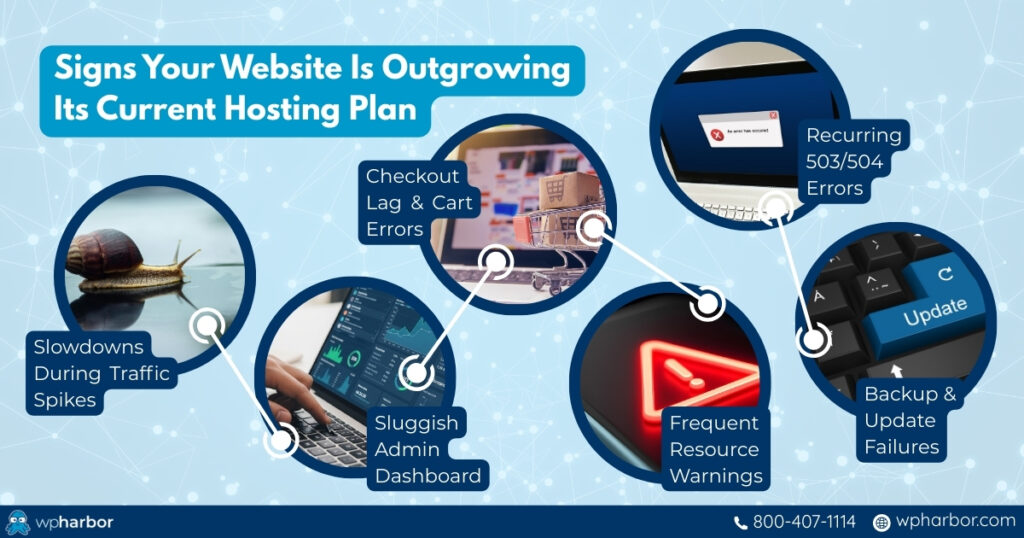
Most growing WordPress sites don’t suddenly “break.” They degrade slowly, until one day things become painfully obvious. If you’re experiencing any of the issues below, your site has likely already exceeded what your hosting plan can support.
- Slow loading during traffic spikes: Your site performs fine when traffic is low but slows down the moment you run ads, publish new content, or hit seasonal peaks.
- WooCommerce checkout lag or errors: Dynamic pages (cart, checkout, product filters) start taking too long to load. This is an early sign your server can’t keep up. Read our guide on WooCommerce optimization to learn how to reduce lag and errors.
- A sluggish admin dashboard: If simple actions like updating posts or browsing orders feel slow, it usually means your PHP, CPU, or I/O resources are maxed out.
- Resource warnings from your host: Hosts often send notices about high CPU usage, bandwidth limits, database size, or memory overages. These warnings are red flags, not suggestions.
- 503/504 errors: These are classic “server overwhelmed” errors. They appear when your hosting collapses under load.
- Backup failures or update errors: When backups won’t complete or updates time out, your hosting is no longer strong enough to support the normal maintenance of your site.
If any of these sound familiar, you’re not just growing; you’re outgrowing your hosting. That’s the point where upgrading to scalable WordPress hosting stops being optional and becomes necessary.
What Scalable WordPress Hosting Should Include
Not all hosting is built to scale. Many plans require full migrations, risky upgrades, or complex reconfiguration just to handle growth. True scalable WordPress hosting adapts to your site seamlessly and makes expansion painless. Below are the essential features your hosting must include to support real long-term growth:
Flexible Resource Allocation
RAM, CPU, and I/O should scale as your site grows, without downtime or complicated migrations. Your host should let you expand server resources instantly as your demand increases.
NVMe Storage + High-Performance Servers
Fast storage is crucial as your database grows. NVMe ensures product catalogs, media libraries, and large WordPress databases continue loading quickly as your content expands.
Auto-Scaling for Traffic Surges
Your hosting must handle sudden spikes from ads, newsletters, social shares, or viral posts. Auto-scaling ensures your site stays responsive under pressure.
Advanced Caching (LiteSpeed + Object Caching)
Object caching is especially important for WooCommerce, LMS, and membership sites where many pages can’t be cached. Scalable hosts must support caching at the server level.
Staging Environments
As your site grows more complex, you need a safe place to test updates, features, and new plugins without risking downtime.
CDN Integration
A CDN offloads traffic so your origin server isn’t overwhelmed. It also speeds up image-heavy pages and global performance.
Expert Support That Understands Growth
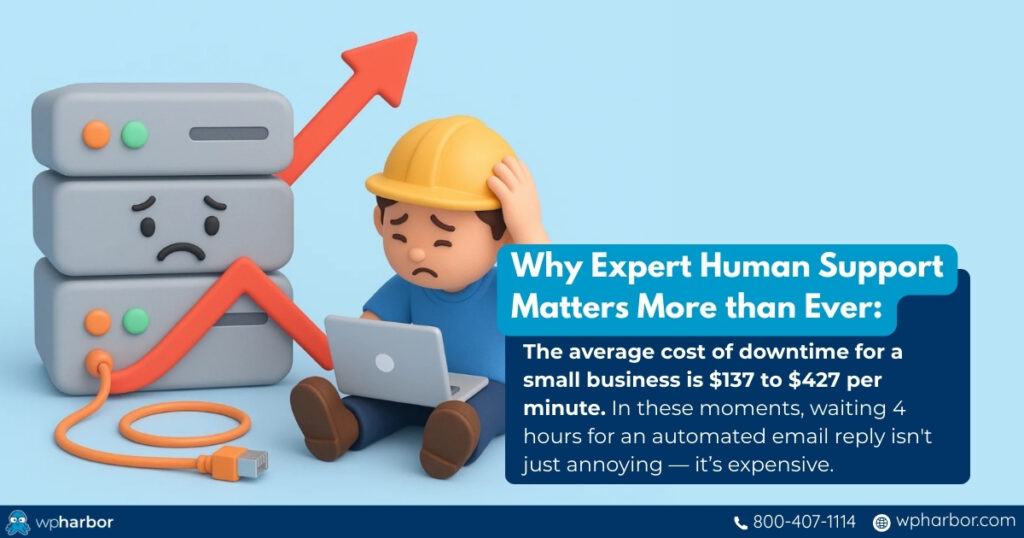
Scaling creates challenges. You need real human support; people who understand caching layers, database performance, PHP workers, and resource allocation.
These ideal WP capabilities are what separate basic hosting from true scalable WordPress hosting that supports long-term performance and business growth.
How to Scale WordPress the Right Way (Without Breaking Your Site)
Scaling a WordPress site isn’t about throwing more server power at the problem; it’s about making strategic improvements that keep your site fast, stable, and adaptable as it grows. Here’s how to do it correctly:
1. Optimize Before You Scale Up
Before upgrading your hosting plan, reduce the strain on your site.
- Remove plugins you no longer use
- Compress images and clean your media library
- Optimize your database (revisions, transients, overhead)
- Minify or defer unnecessary scripts
A cleaner, more efficient website scales more effectively and uses server resources intelligently. Sometimes, you might just find that there’s one plugin that’s causing all the lag. Removing that plugin can make all the difference.
2. Start With a High-Speed Hosting Foundation
Even with optimizations, your hosting dictates how high you can scale. Scalable WordPress hosting with NVMe storage, LiteSpeed, object caching, and modern infrastructure ensures you don’t run into performance ceilings early.
3. Use a CDN to Reduce Load on Your Server
A CDN offloads images, scripts, and static files to edge servers across the globe. This reduces bandwidth demand, improves international performance, and lightens the load on your origin server – especially helpful for image-heavy sites.
4. Enable Object Caching for Dynamic Content
WooCommerce stores, LMS platforms, and membership sites require far more database processing than typical WordPress sites. Object caching accelerates those dynamic operations, allowing your site to maintain speed as logged-in traffic increases.
5. Plan for Growth Before You Reach It
Scaling should be proactive, not reactive. If you’re planning:
- A major campaign
- A site redesign
- New features (like a booking system or LMS)
- Paid advertising
- Seasonal promotions
…your infrastructure should be prepared beforehand. Planning ahead prevents outages and ensures smooth performance during your biggest opportunities.
Common Scaling Mistakes That Hurt WordPress Performance
Even with good intentions, many site owners unintentionally limit their growth. These are the most common mistakes that slow down a scaling site:
- Upgrading RAM/CPU without fixing bottlenecks: More hardware won’t fix a bloated database or inefficient plugins. Optimization always comes first. This also helps you identify your website’s most demanding features, allowing you to look for other solutions than just increasing raw power.
- Staying on shared hosting while trying to grow: Shared hosting caps your resources from the start. No amount of tweaking can overcome those limits. If you want to learn more about the detailed differences between the types of hosting, our VPS vs Managed vs Shared WordPress Hosting: A Small-Business Breakdown should help.
- Using multiple performance plugins to solve server problems: Stacking caching or minification plugins often creates conflicts and makes your site slower, not faster.
- Migrating only after major problems appear: Waiting until your site crashes forces rushed migrations and downtime. Upgrade your hosting before you desperately need it.
- Ignoring database bloat and media overload: As your site grows, your database and media library get slower unless they’re optimized regularly.
- Running updates directly on the live site: Without a staging environment, one update can break your entire site, especially as your plugin stack grows.
Each of these mistakes reinforces the need for scalable WordPress hosting backed by a modern architecture and expert support.

Scale With Confidence, Not Guesswork
As your business grows, your website becomes more important – and so does your hosting. Slowdowns, errors, and crashes aren’t signs of bad development; they’re signs your site has outgrown its environment.
Scalable WordPress hosting provides the flexibility, speed, and stability you need to grow confidently. It adapts to your traffic, supports your features, and keeps your site fast even as your content and user base expand.
If your website is becoming a bigger part of your business, it’s time to give it a hosting foundation built for long-term success. WP Harbor’s scalable WordPress hosting is designed to grow with you – not hold you back. Explore your options and scale with confidence!