
When you run a WooCommerce store, your hosting isn’t just a technical decision; it’s a revenue decision. Every product view, every add-to-cart click, every checkout request, and every payment confirmation depends on how fast and reliable your hosting is. That’s why WordPress hosting for ecommerce requires far more than the setup used for a simple blog or brochure site.
In ecommerce, speed and stability are profit levers. A slow server increases cart abandonment. Weak uptime disrupts sales. Poor database performance breaks search and filtering. Bad security risks customer data and payment trust. The quality of your hosting determines how efficiently customers can shop, how smoothly your checkout runs, and how consistently your store stays online during traffic surges.
In this article, we’re here to help online store owners understand which hosting features directly impact ecommerce performance. We’ll also discuss how choosing the right environment leads to faster growth, higher conversions, and a more reliable WooCommerce experience.
Why WooCommerce Has Unique Hosting Requirements
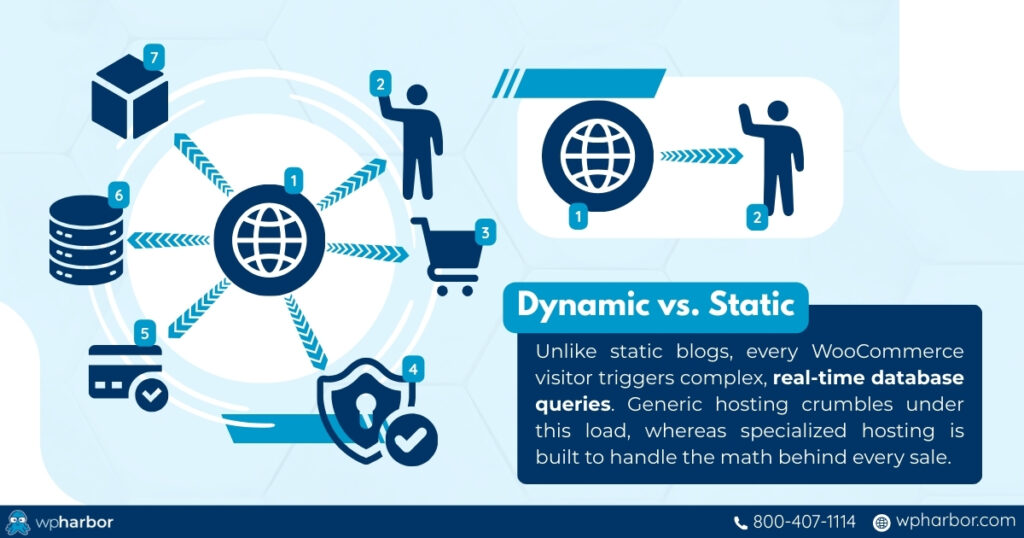
WooCommerce is powerful, flexible, and deeply integrated with WordPress, but that also makes it resource-intensive. Unlike most WordPress sites that serve mostly static content, WooCommerce stores run complex dynamic operations in real time.
Every visitor triggers:
- Multiple database queries
- Inventory checks
- Cart and pricing logic
- Shipping and tax calculations
- Logged-in session handling
- Payment gateway communication
This is why generic shared hosting is a poor choice for ecommerce. It simply isn’t designed to handle the high volume of database activity or the concurrency requirements of active stores.
WooCommerce also depends heavily on plugins: payment gateways, product add-ons, SEO tools, security systems, analytics, and more. Each plugin adds processing load. On weak hosting, this leads to slow dashboards, sluggish product pages, and checkout delays that directly affect revenue.
In short: WooCommerce needs WordPress hosting specialized for ecommerce, not hosting built for hobby sites or small blogs. Without a strong hosting foundation, stores eventually hit a performance ceiling. The worst part is that that ceiling often arrives far sooner than expected, especially when running paid ads, handling seasonal traffic, or managing large inventories.
Essential Features Every WordPress Hosting for Ecommerce Store Needs
When choosing WordPress hosting for ecommerce, it’s easy to get distracted by marketing terms, storage limits, or “unlimited” plans. But WooCommerce stores don’t need generic hosting; they need specific, business-critical features that directly influence speed, checkout reliability, security, and the ability to scale.
Below is a breakdown of the hosting features that matter most, along with the practical reasons they impact real WooCommerce performance.
1. Fast Server Technology (NVMe + LiteSpeed)
Speed is the backbone of ecommerce performance. NVMe storage ensures fast database access for product pages and checkout calculations, while LiteSpeed web servers deliver quicker page rendering and better Core Web Vitals.
Why it matters:
- Faster product page load times
- Lower cart abandonment
- Better mobile performance
2. High Reliability and Uptime
Ecommerce is a 24/7 operation. If your store is offline – even for a few minutes – you lose sales! High uptime guarantees help ensure your site stays available during peak demand.
Why it matters:
- Downtime = instant revenue loss
- Protects you during campaigns and promotions
- Reduces customer frustration and lost trust
3. Built-In Security and Fraud Protection
Online stores handle sensitive customer information, payment activity, and user accounts. Security needs to be built into the hosting layer. It’s not something you patch together with plugins.
Key protections include:
- SSL enforcement
- Malware scanning
- Firewalls and bot blocking
- Brute-force prevention
- Secure checkout paths
Why it matters:
- Protects customer data
- Reduces chargebacks and fraud attempts
- Maintains compliance and trust
4. Scalable Resources for Traffic Spikes
WooCommerce traffic is often unpredictable. One viral product or successful ad campaign can quadruple your visitors instantly. Hosting must scale without slowing down or crashing.
Why it matters:
- Prevents 503 errors
- Supports peak traffic (holidays, sales, launches)
- Ensures stable checkout during surges
5. Optimized PHP + Database Performance
WooCommerce is database-heavy. Every filter, search, variation load, and cart update relies on efficient PHP processing and fast database queries.
Why it matters:
- Faster product filtering
- Smoother cart and checkout
- Better admin dashboard responsiveness
- Higher conversion rates
6. Automatic Backups / Quick Recovery
Mistakes happen! Plugin updates break layouts, orders get corrupted, or changes go wrong. A WooCommerce store must be able to recover instantly.
Why it matters:
- Protects product data and order history
- Prevents costly downtime
- Lets you restore your store in minutes
7. CDN Integration for Global Customers
A Content Delivery Network speeds up asset delivery (especially product images) for customers across different regions. If you plan on selling your products in other cities or countries, a CDN integration is a necessary feature.
Why it matters:
- Faster image loading
- Reduced server strain
- Better mobile and international performance
- Improved Core Web Vitals
Why Speed Matters More Than Anything in Ecommerce
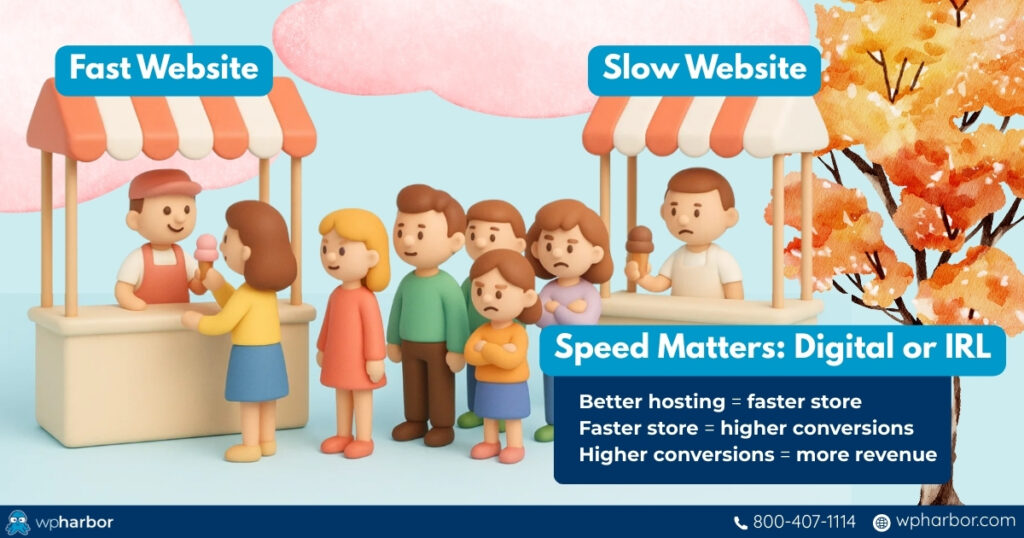
In ecommerce, speed isn’t a bonus; it’s a direct revenue driver. Customers expect product pages to load instantly, filters to respond immediately, and checkout to feel seamless. When hosting is slow, every step of the shopping journey becomes friction, and friction is the enemy of conversions.
Decades of data have proven this:
- A 1-second delay can reduce conversions by 7%
- A 3-second delay increases bounce rates by up to 50%
- Nearly 70% of mobile shoppers abandon carts on slow sites
- Google ranks fast stores higher because speed = better experience
For WooCommerce stores, this matters even more. Unlike static WordPress sites, WooCommerce pages are dynamic. That means they rely on real-time server processing, not cached versions. That means your server speed directly affects:
- Add-to-cart responsiveness
- Product filtering and variation loading
- Checkout and payment flow
- Order creation and confirmation
- Mobile Core Web Vitals (LCP, INP)
Slow hosting also makes your paid ads more expensive. When product pages load slowly, you pay for clicks that never convert, destroying ROAS and increasing CPA.
Better hosting = faster store
Faster store = higher conversions
Higher conversions = more revenue
Speed is one of the highest-ROI improvements any ecommerce business can make, and it starts at the hosting level.
Common Issues With Weak Hosting (and How to Know You Need an Upgrade)
Many WooCommerce performance problems don’t come from themes or plugins; they come from hosting environments that simply aren’t built for ecommerce. Stores on generic or shared hosting often experience the same issues:
- Slow product pages, filters, and search
- Checkout delays or failures during busy hours
- Admin dashboard lag that slows down order processing
- High cart abandonment from slow mobile performance
- Unstable uptime during sales, promotions, or paid campaigns
- Payment or security warnings caused by weak server protection
If you’re noticing any of the following signs, your store has likely outgrown its current hosting plan:
- Your site slows down even after optimization
- You’re getting more traffic than your plan can handle
- Paid ads send traffic that your server can’t keep up with
- Image-heavy pages take too long to load
- You’ve had outages, errors, or security issues
- Your store becomes noticeably slower during checkout or catalog browsing
At this point, upgrading isn’t an “extra.” It’s necessary to protect your revenue. A modern WordPress hosting for ecommerce setup should include fast NVMe storage, LiteSpeed servers, object caching, CDN integration, staging environments, and expert support for WooCommerce-specific issues.
These features ensure your store loads quickly, stays stable under traffic, and provides a frictionless shopping experience, the foundation every growing ecommerce brand needs.

Build a Faster, More Reliable WooCommerce Store
WooCommerce gives you incredible flexibility, but it also places real demands on your hosting. The moment your store starts getting traffic, running campaigns, or adding more products, the limitations of generic hosting become impossible to ignore. Slow product pages, unstable checkout, poor uptime, and weak security don’t just hurt user experience; they directly impact sales, ad performance, and long-term growth.
Investing in WordPress hosting for ecommerce isn’t about buying a premium plan; it’s about giving your business the infrastructure it needs to operate smoothly. Fast server technology, reliable uptime, strong security, optimized databases, smart caching, and scalable resources are what keep your store loading quickly and performing consistently, even when traffic surges!
If your online store plays a meaningful role in your revenue, these hosting features aren’t optional. They’re the foundation that supports every product view, every cart action, and every conversion.
Build your WooCommerce store on hosting that won’t hold it back – choose an environment designed for ecommerce reliability, performance, and growth. And if you’re ready to experience that difference, WP Harbor offers optimized hosting built specifically for stores like yours.
