
Most business owners don’t ask how much does it cost to maintain a WordPress website until something breaks. A hacked site, a failed update, or a sudden outage usually triggers the question. By then, the cost isn’t theoretical anymore; it’s immediate and often expensive.
WordPress maintenance isn’t a one-time task or a background chore. It’s ongoing operational work that keeps your website secure, fast, and functional. Every WordPress site, whether it’s a simple business website or a revenue-generating ecommerce store, requires regular attention to prevent downtime, security issues, and performance decline.
This article breaks down the real costs of WordPress maintenance by comparing two common approaches: doing it yourself versus using a professional maintenance service. The goal is simple: help you understand what you’re actually paying for, where hidden costs appear, and which option makes financial sense for your business.
DIY WordPress Maintenance: The Apparent “Cheap” Option
Doing your own WordPress maintenance often looks like the most affordable choice at first. Many site owners assume that paying for basic hosting and installing a few free plugins is enough.
Typical DIY maintenance costs include:
- Hosting fees
- Paid security plugins
- Backup services with offsite storage
- Performance and caching plugins
- Occasional developer help
On paper, DIY maintenance might cost anywhere from $5 to $30 per month in tools and hosting. But this number ignores the most significant expense: your time.
DIY maintenance requires learning how updates interact, troubleshooting plugin conflicts, monitoring security alerts, and responding quickly when something breaks. For business owners, this often happens after hours, during weekends, or in the middle of a workday when focus should be elsewhere.
DIY maintenance also carries higher risk. Updates are often delayed out of fear of breaking the site, which increases exposure to known vulnerabilities. When issues do occur, they’re usually handled reactively, after damage has already been done.
Hidden Costs of DIY WordPress Maintenance
The biggest downside of DIY maintenance is that many of its costs don’t appear until something goes wrong.
Emergency developer help is a common expense. Fixing a broken site, cleaning malware, or restoring a database can cost hundreds of dollars in a single incident. These costs are unpredictable and often urgent.
Downtime is another hidden cost. If your site goes offline during business hours, ad campaigns, or sales periods, leads and revenue disappear instantly. Search rankings can also suffer if performance or uptime issues persist.
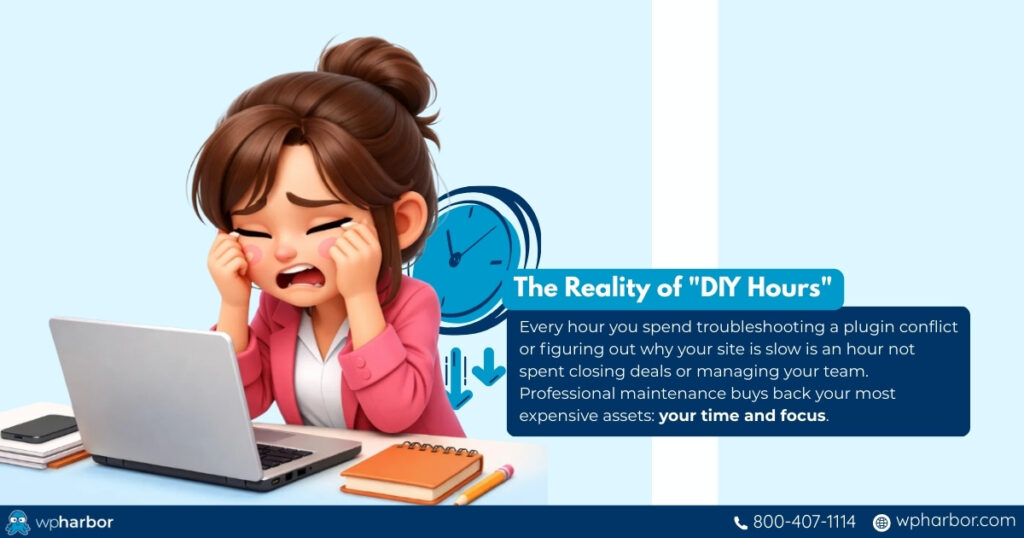
There’s also opportunity cost. Every hour spent troubleshooting WordPress is an hour not spent running or growing the business. Over time, this mental overhead adds stress and slows momentum.
DIY maintenance often feels inexpensive month to month, but over a year, the combination of tools, time, emergency fixes, and downtime usually exceeds expectations.
Professional WordPress Maintenance Services: What You’re Paying For
A professional WordPress maintenance service replaces uncertainty with a structured process. Instead of reacting to problems, maintenance is handled proactively.
A typical service includes scheduled updates, full backups before changes, continuous security monitoring, uptime tracking, and performance checks. Updates are tested or rolled back when necessary, and issues are resolved by people who work with WordPress daily.
From a cost perspective, you’re paying for predictability. Rather than dealing with surprise repair bills or scrambling during outages, maintenance services bundle prevention, monitoring, and recovery into a fixed monthly fee.
This approach reduces risk, shortens downtime when issues occur, and removes technical responsibility from the business owner. It is also the recommended approach if your business entails finances and critical data – learn more about that in our Security-First Hosting for Regulated Industries.
Cost Comparison: DIY vs WordPress Maintenance Service
So, how much does it cost to maintain a WordPress website in real-world terms? The answer depends less on the sticker price and more on how predictable those costs are.
DIY WordPress Maintenance: What It Actually Costs Over Time
DIY maintenance often looks affordable on paper, especially at the start. But costs tend to appear gradually, and usually when something goes wrong.
Typical DIY expenses include:
- Hosting ($5–$30/month)
- Paid security plugins ($50–$150/year)
- Backup services with offsite storage ($50–$100/year)
- Performance and caching plugins ($40–$100/year)
- Occasional developer help ($75–$150/hour)
That puts basic DIY maintenance around $100–$300 per year before problems occur.
Where costs escalate:
- A plugin update breaks the site → $150–$500 developer fix
- Malware infection → $300–$1,000+ cleanup
- Failed backups during a crash → site rebuild or lost data
- Downtime during ads or sales → lost leads and revenue
One serious incident can easily push total annual costs into the four-figure range, often unexpectedly.
Professional WordPress Maintenance Services: Predictable by Design
A maintenance service typically costs $50–$150 per month, depending on site size and complexity. While the monthly fee is higher, it consolidates nearly everything into one predictable system.
What that monthly cost usually replaces:
- Security tools and monitoring
- Scheduled updates with safeguards
- Full backups and quick restores
- Performance checks
- Emergency troubleshooting
- Time spent diagnosing issues
Instead of reacting to failures, problems are prevented or resolved quickly — without surprise invoices.
DIY vs Maintenance Service: Side-by-Side Comparison
| Factor | DIY Maintenance | Maintenance Service |
| Upfront Cost | Low | Moderate |
| Monthly Predictability | Low | High |
| Security Coverage | Plugin-dependent | Built-in & monitored |
| Backup Reliability | Varies | Automated & tested |
| Downtime Risk | High | Low |
| Emergency Costs | Frequent & unpredictable | Included |
| Time Investment | High | Minimal |
| Stress Level | High | Low |
The Real Difference: Risk vs Control
The biggest difference isn’t just price – it’s risk exposure.
DIY maintenance spreads cost unevenly and unpredictably. Some months are cheap; others are expensive, stressful, and disruptive. Maintenance services concentrate cost into a stable monthly expense that protects against downtime, security incidents, and last-minute emergencies.
For business websites, that stability often ends up being the more cost-effective choice long-term, even if the monthly number looks higher at first glance.
Which Option Makes Sense for Different Websites
For very small, non-critical sites, DIY maintenance may be acceptable if downtime or minor issues aren’t a concern.
For business websites that generate leads, professional services quickly become the smarter choice. Ecommerce stores, membership platforms, and content-heavy sites almost always benefit from managed maintenance due to their complexity and revenue impact.
Agencies managing multiple sites typically rely on maintenance services to avoid operational overload and ensure consistency across clients.
As soon as a website plays a meaningful role in revenue, credibility, or customer access, maintenance stops being optional and becomes part of normal operating costs.

Keep Maintenance Predictable – Not Painful
WordPress maintenance is unavoidable. The only real decision is whether you handle it proactively with a predictable system, or reactively when something breaks.
DIY maintenance can work for hobby sites, but for business websites, the hidden costs show up fast: downtime during business hours, broken forms, slow performance, security gaps, and surprise developer bills. A maintenance service turns all of that into something stable. Updates should be handled properly, backups ready when needed, security monitored, and real support available when things go wrong.
If your website is tied to leads, revenue, credibility, or customer trust, maintenance isn’t just “website work.” It’s business protection.
Ready to stop guessing and start running your website with confidence?
Explore WP Harbor’s managed maintenance and support – built to keep WordPress secure, stable, and fast without the constant headaches.