
Most businesses don’t “choose a bad host.” They choose a host that looks fine until real-world pressure hits: a campaign drives traffic, a plugin update goes sideways, checkout slows down, or the site gets flagged for malware.
And here’s the part that hurts: when hosting fails, it rarely looks like a “hosting problem.” It looks like marketing isn’t working, SEO stalled, leads dropped, ads aren’t converting, or your site “randomly” goes down. Hosting issues quietly tax everything upstream.
That’s why learning to spot hosting red flags early is one of the highest-ROI decisions a business owner can make. If you can avoid the wrong provider before migrating, you save yourself downtime, lost sales, and the cost of fixing a mess later.
Quick Overview: The 5 Hosting Red Flags at a Glance
| Red Flag | What It Sounds Like | What It Actually Means for Your Business |
| “Unlimited” Plans | “Unlimited bandwidth, unlimited storage” | Hidden limits that throttle performance as soon as you grow |
| Performance Depends on Plugins | “Just install a caching plugin” | Weak server foundation; speed becomes your responsibility |
| Weak Backup Strategy | “We do daily backups” | Slow restores, limited recovery points, or off-site protection missing |
| Security = A Plugin | “Install Wordfence and you’re fine” | No server-level protection; you’re liable after compromise |
| Generic 24/7 Support | “We’re available anytime” | Slow, scripted responses when you actually need resolution |
This table alone can save you from months of frustration.
Now let’s break each one down properly.
Red Flag #1: “Unlimited” Plans With No Real Resource Transparency
If a provider advertises “unlimited bandwidth,” “unlimited storage,” and “unlimited websites” at a bargain price, treat it as a warning sign, not a benefit.
In practice, “unlimited” almost always comes with hidden resource ceilings that affect WordPress performance the moment you grow. These ceilings might be framed as “fair use,” “acceptable use,” or simply buried in support documentation.
What this looks like in real life:
- Your site is fast when traffic is low, then slows down during peak hours.
- You get random 503/504 errors during promotions or email blasts.
- The host blames “plugins” or “WordPress” but won’t show you actual resource usage.
- You get nudged to upgrade after you’ve already moved and built momentum.
What a legitimate provider should clearly disclose:
- How CPU and RAM are allocated (not “unlimited”)
- I/O limits (disk read/write caps that affect database + media performance)
- Concurrent process limits
- Any throttling rules (what happens when you hit limits)
- What “scaling” means (upgrade path, not vague promises)
Quick test: Ask support this simple question before buying:
“What CPU/RAM/I/O limits are enforced on this plan, and what happens when I hit them?”
If you get a vague answer, that’s your answer.
Red Flag #2: Speed Depends on You “Installing a Few Plugins”
A WordPress host should provide a strong performance foundation. If they imply performance is mostly your responsibility (“just add a caching plugin”), that’s a red flag.
A fast WordPress site is not built only on plugins. It’s built on infrastructure. Plugins can help, but they can’t override a slow server, bad PHP configuration, overloaded shared environments, or poor caching at the server level.
What this looks like in real life:
- Your site can’t consistently hit good Core Web Vitals even after optimizing.
- Admin dashboard feels sluggish (especially WooCommerce, LMS, or membership sites).
- You keep adding performance plugins and the site gets more fragile, not faster.
- Mobile performance is consistently poor because the server response time is weak.
What “good hosting performance” actually means behind the scenes:
- Modern storage (fast database reads matter as your content grows)
- Efficient web server stack and caching support
- Clean PHP configuration (workers, OPcache, real resource allocation)
- A plan that doesn’t collapse when multiple visitors arrive at once
- CDN support that’s integrated, not bolted on as a paid extra
Quick test: Ask for real clarity:
“What server-level caching is included, and how is PHP capacity handled on this plan?”
If the answer is mostly “install this plugin,” you’re buying responsibility, not performance.
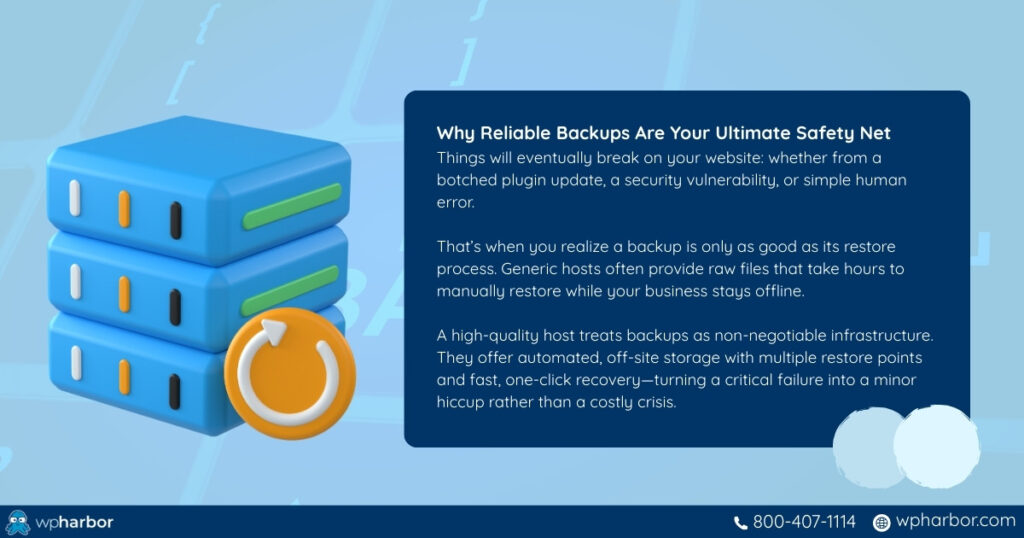
Red Flag #3: Weak Backup Strategy (Or Backups That Are Hard to Restore)
Backups are easy to advertise and surprisingly easy to do poorly.
Many hosts offer “daily backups,” but the details are where businesses get hurt: retention is short, backups are stored on the same server, restores take hours, or restores require you to open a ticket and wait.
While everything is being “processed” by your host, your site stays broken.
What this looks like in real life:
- A plugin update breaks your site and you can’t restore quickly.
- The host can restore “files” but not reliably restore database + orders + forms.
- Backups exist, but restores are slow, manual, or limited.
- You discover backups were not running properly only after an incident.
What a reliable backup system should include:
- Multiple restore points (not just “yesterday”)
- Off-server storage (not sitting beside the site it’s supposed to protect)
- Fast restores (minutes, not days)
- Clear retention policy (how far back you can go)
- A process that doesn’t depend on a support queue
Quick test: Before switching, ask:
“If my site breaks at 2 PM, how quickly can I restore it, and how far back can I roll?”
If they can’t answer confidently, assume you’ll learn the hard way later.
Red Flag #4: Security Is Treated as “A Plugin Problem”
If the provider’s “security plan” is basically: “install Wordfence,” that’s a hosting red flag.
WordPress plugins help, but real WordPress security requires layers. Hosting should protect sites at the server level and network level, not only inside WordPress. Otherwise, you’re stuck reacting after damage is already done.
What this looks like in real life:
- You get hacked and the host says, “that’s on you.”
- Malware spreads, rankings drop, ads get disapproved, or your domain gets flagged.
- You pay extra for cleanup, emergency work, or third-party security tools.
- You’re constantly worried about updates because you know you’re exposed.
What a security-first hosting environment should include:
- Firewalling and bot protection (so attacks are blocked before WordPress runs)
- Malware scanning and monitoring (so threats are detected early)
- Hardening measures (reducing what can be exploited)
- A clear incident response process (what happens when something goes wrong)
Quick test: Ask a direct question:
“If my site is compromised, what do you do and what do you charge?”
If the answer is unclear or “we don’t handle that,” that’s a serious risk.
Red Flag #5: “24/7 Support” That Isn’t Actually Useful
Support is easy to sell and hard to deliver. Many providers claim 24/7 support, but what they mean is 24/7 ticket intake, not 24/7 resolution.
For a business site, support quality is not a “nice to have.” It determines how quickly downtime ends, how safely changes are made, and how confidently you can run updates or campaigns.
What weak support looks like:
- Slow response times during outages
- Scripted replies that don’t solve the issue
- Support that can’t troubleshoot WordPress-specific problems
- Blame-shifting: “it’s your theme,” “it’s your plugins,” “it’s WordPress”
- No proactive help during migrations, performance issues, or security incidents
What strong support looks like:
- Clear response expectations (not vague promises)
- Staff who understand WordPress and hosting layers (cache, PHP, database, DNS basics)
- Someone who can troubleshoot quickly without bouncing you between departments
- A support model aligned with business impact (downtime is urgent)
Quick test: Ask:
“What’s your typical response time for downtime, and who actually investigates?”
If you hear “we’ll open a ticket,” assume delays.
A Fast Way to Evaluate Hosting Before You Commit
You don’t need technical expertise to spot hosting red flags. You just need clear answers. Before migrating, ask direct questions about limits, backups, security, and scaling. If the responses are vague, overly technical, or buried in marketing language, that’s usually a sign the infrastructure isn’t built for serious business use.
Good hosting providers explain things simply because they understand their own systems. You should walk away knowing exactly what’s included, what happens during traffic spikes, how recovery works after an incident, and how upgrades are handled. If you leave the conversation confused, that confusion will resurface later, when it costs you time or money.
Before committing, confirm:
- What hard resource limits exist (CPU, RAM, I/O)?
- How backups and restores are handled
- What happens during downtime or a security breach
- Whether scaling requires migration or downtime
- What performance features are built-in vs plugin-based
If those answers aren’t clear, you’re taking a risk with your business website. If you want to learn more about hosting, read our Ultimate Guide to WordPress Hosting.

Don’t Wait for a Crisis to Discover Hosting Red Flags
Most businesses only discover hosting red flags after something breaks, during a product launch, a paid campaign, or a security incident. By then, the cost isn’t just technical. It’s lost revenue, damaged trust, and emergency fixes.
If your website plays a serious role in generating revenue, leads, or credibility, your hosting provider should function like infrastructure – stable, predictable, and built for growth.
WP Harbor’s managed WordPress hosting is designed specifically to eliminate these red flags. From performance architecture to proactive security and business-grade support, everything is built to keep your site fast, secure, and scalable without surprises.
If you’re evaluating your current host or planning a migration, explore WP Harbor’s managed WordPress hosting and build on a foundation you don’t have to second-guess.
