
For a small business, a website is more than an online brochure. It’s your storefront, sales rep, and customer service desk rolled into one.
Yet many small business owners still choose hosting based on the cheapest plan they can find – only to regret it later.
The problem isn’t just downtime or sluggish load speeds (though those are painful enough). Hosting impacts everything from SEO rankings and conversion rates to customer experience and your personal time. A weak hosting foundation silently drains away customers and growth.
That’s why understanding the difference between shared, VPS, and managed WordPress hosting is critical. Let’s break it down in plain terms.
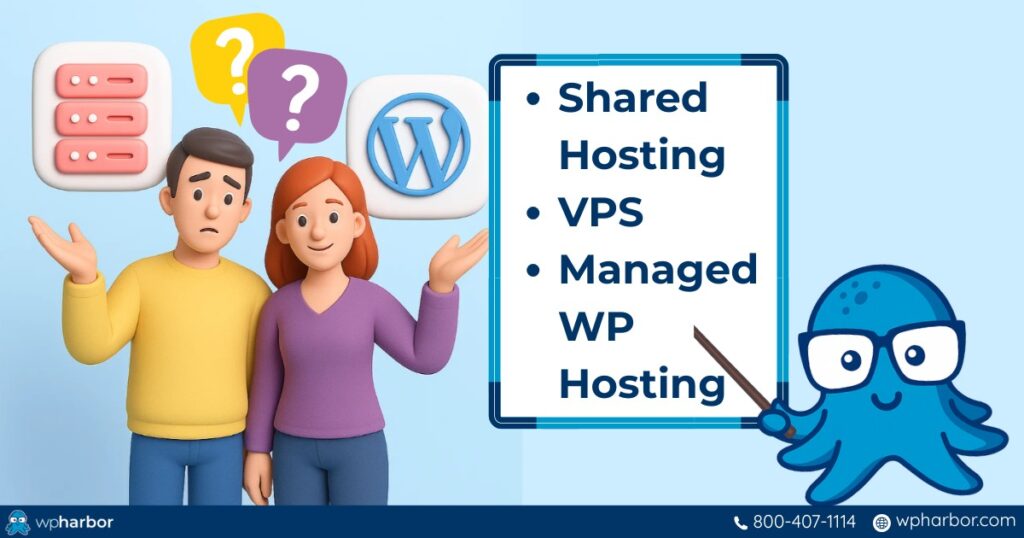
VPS vs Managed vs Shared WordPress Hosting
The main difference lies in who handles the technical responsibilities and how resources are shared.
- Shared hosting is the cheapest option, but you share server resources with hundreds of other sites, which often leads to slowdowns and security risks.
- VPS hosting gives you your own slice of server power, but you’re fully responsible for configuring, updating, and securing it.
- Managed WordPress hosting takes the burden off your shoulders by providing optimized performance, proactive security, and hands-off management.
For growth-focused small businesses, managed WordPress hosting is the sweet spot – reliable like VPS, but without the technical headaches.
Here’s a table that neatly shows how the three main types of hosting compare, with WP Harbor’s Managed WordPress Hosting as the reference point for managed services:
| Feature | Shared Hosting | VPS Hosting | WP Harbor Managed WordPress Hosting |
| Cost | $3–$10/mo | $20–$60/mo | $67/mo (with $1,300+ in premium plugins included) |
| Performance | Unstable, shared CPU/RAM | Dedicated slice, stable | NVMe SSDs, LiteSpeed, server-level caching, Cloudflare CDN |
| Security | Basic, shared risks | You install your own firewalls, patches | 24/7 monitoring, WAF, daily scans, Free Hack-Fix Guarantee |
| Management | DIY (minimal tools) | Full DIY (requires admin skills) | Done-for-you: WordPress, plugins, themes auto-updated & tested |
| Backups | Limited, sometimes extra fee | Manual setup required | Automatic daily backups stored redundantly for 30 days |
| Support | Generic call center | Limited, mostly community forums | 24/7 U.S.-based WordPress specialists |
| Extras | None | None (BYO tools) | Free migration, SSL, Google Analytics setup, premium plugins |
| Best For | Hobby blogs, personal sites | Developers, technical owners | Small businesses, e-commerce, agencies |
Let’s continue to see a more detailed breakdown of each option…
Shared WordPress Hosting: The Crowded Apartment
Shared hosting is the entry-level option, attractive because it’s cheap and simple. But like an overcrowded apartment building, you quickly feel the downsides.
How it works: Dozens or even hundreds of sites are packed onto the same server, all drawing from the same pool of CPU, RAM, and bandwidth.
Pros:
-
- Lowest cost (sometimes just a few dollars per month)
- Beginner-friendly dashboards and one-click WordPress installs
Cons:
-
- “Noisy neighbor” effect: if another site hogs resources, your site slows
- Higher security risks: a hack on one site can spill over to others
- Limited resources mean unpredictable performance
Best for: Hobby blogs, student projects, or portfolios. Not businesses.
The hidden cost: Shared hosting may look like a bargain, but the “savings” disappear fast. Slow load times and downtime can cost you sales, frustrate customers, and chip away at your brand’s credibility. And when issues pop up, it’s often you (not the host) burning hours trying to troubleshoot.
What seems cheap upfront often becomes the most expensive option in the long run.
VPS Hosting: The DIY Townhouse
A VPS (Virtual Private Server) is the next step up. Think of it as a townhouse: you’re still in a shared building, but you have your own private utilities.
How it works: A physical server is divided into several virtual servers, each with dedicated CPU, RAM, and storage allocations.
Pros:
-
- More stable and powerful than shared hosting
- Resources are dedicated to you (no noisy neighbors)
- Greater flexibility and customization
Cons:
-
- Requires technical skills: you handle server setup, patches, updates, and security
- If misconfigured, your site is vulnerable to crashes or hacks
- May be extremely time consuming if you don’t have any IT background
Best for: Developers, technical entrepreneurs, or businesses with IT staff who want control over server environments.
The hidden cost: A VPS may be cheaper than managed hosting, but once you factor in the need for an in-house admin or paid contractors, it can actually cost more.
Managed WordPress Hosting: The Full-Service Business Suite
This is where growth-minded small businesses should pay attention. Managed WordPress hosting is more than server space, it’s a service that functions like a dedicated IT team for your website. Having a dedicated team that’s already trained, experienced, and organized can turn your small business into a large one sooner than you’d expect.
That level of support frees you to focus on running and scaling your business. And it can accelerate growth faster than you’d expect.
How it works: The host doesn’t just give you resources. They actively manage WordPress for you. Consider having these done for you: speed optimization, proactive security, plugin updates, and access to costly premium tools.
Pros (with WP Harbor features):
-
- Engineered for speed: LiteSpeed servers, NVMe SSDs, built-in Cloudflare CDN, and server-level caching
- Fortified security: 24/7 monitoring, Web Application Firewall (WAF), daily malware scans, and WP Harbor’s Hack-Fix Guarantee (if you get hacked, we fix it free)
- Hands-off management: Automatic WordPress, plugin, and theme updates — tested for compatibility before rollout
- Daily backups: Redundant storage across secure locations, with one-click restores
- Premium extras included: $1,300+ worth of plugins like Gravity Forms, WP Rocket, Divi, and Elementor Pro
- Expert support: U.S.-based WordPress specialists available 24/7
- Peace of mind: Your time goes back to running your business, not babysitting a server
Cons:
-
- Higher monthly cost (but typically offset by saved time, higher conversions, and significantly fewer emergencies)
Best for: Small to mid-sized businesses, e-commerce sites, agencies, and any owner who values time and uptime.

Why the Right Hosting Choice Is a Business Decision
The difference between managed vs shared WordPress hosting isn’t about features alone. It’s about how your business runs day to day.
- On shared hosting, you might save up to $60/month when compared to managed services but lose customers and money in the long run because your site takes too long to load.
- On VPS, you get more control but trade your time for technical upkeep. This can be a positive if the nature of your business is to offer IT services, where you have experts on board to handle the upkeep for you. If not, it can be detrimental as you’ll be forced to hire one, spending even more than just getting managed WP hosting.
- On managed hosting, you invest more upfront but gain speed, reliability, and – most importantly – your time back. Fewer headaches, better performance, increased reliability.
For small businesses, time is the most valuable currency. Every hour spent troubleshooting plugins or chasing down malware is an hour not spent on sales, marketing, or serving customers. At the end of the day, paying a contractor to do the upkeep or hiring an IT staff will cost way more than opting for managed hosting.
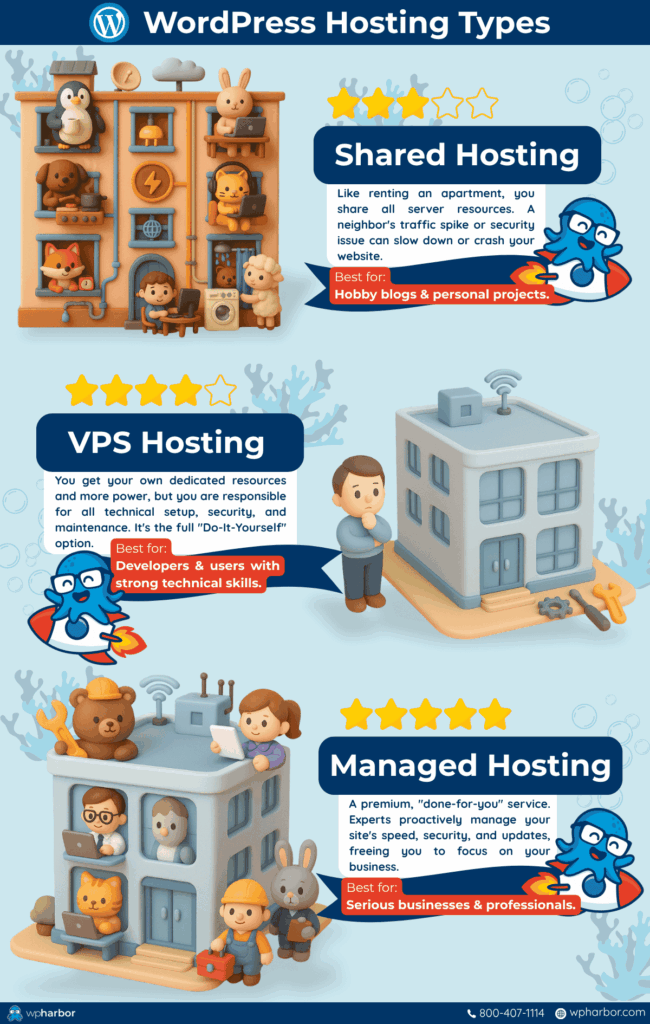
Making the Smart Investment
Think of hosting like leasing commercial space. Would you set up shop in a building with failing electricity and no locks on the doors just because the rent was cheap? Probably not.
The same principle applies here. Managed WordPress hosting isn’t an expense, it’s insurance for your brand, revenue, and reputation.
With WP Harbor, the difference is clear:
- Fast sites delight customers and improve SEO rankings
- Strong security protects your income
- Expert support means fewer emergencies and no wasted time
- Premium tools bundled in save you thousands per year
Are you interested in learning more about WordPress hosting? Check out our Ultimate Guide to WordPress Hosting.
Managed vs Shared WordPress Hosting
At the end of the day, shared hosting is for hobbyists. VPS is for techies. Managed WordPress hosting is for business owners who want peace of mind and reliability.
If your website is tied to your income, choosing managed hosting is one of the smartest investments you can make. There’s no confusion between managed vs shared WordPress hosting when money is on the line.
Ready to stop managing your website and start growing your business? Explore WP Harbor’s Managed WordPress Hosting today, complete with premium plugins, hack-fix guarantees, and a 100-day money-back promise.